

Crafted Call

Product announcements

Product Announcements from Crafted Call.

Follow new launches, feature expansions, and product thinking for call for artists software, jury review, exhibitions, gallery websites, email marketing, artwork sales, and more.

Latest update
October 22, 2026
Written for
Gallery teams
Includes
Launches, expansions, quality
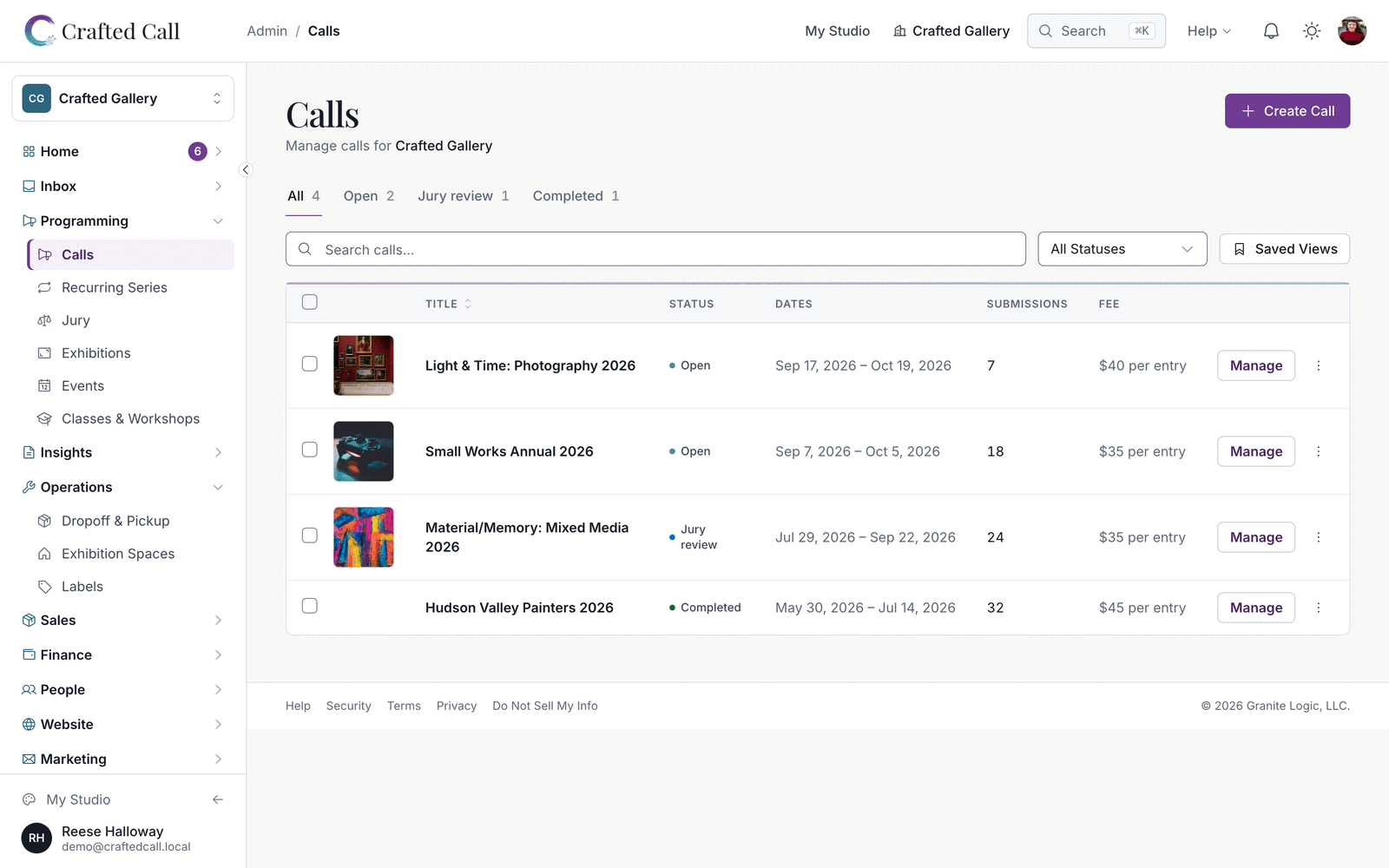
Crafted Call calls dashboard showing call statuses, submission counts, deadlines, and quick actions.

Page 2 of 13. Back to the latest announcements

Product announcement

Group juror entries by artist and queue large artist messages

Jurors can see an artist's submissions together, and Grid View loads images with less server work. Larger messages to artists and event registrants prepare in the background so you can keep working.

ExpandedJury teams

See each artist's submissions together while jurying

Switch the review page to Group by Artist to see an artist's submissions together with your scores. Blind review keeps the artist's identity hidden. You can return to an individual submission to review it.

ExpandedJury teams

Browse jury thumbnails with less waiting

Grid View loads submission images faster and puts less load on the server while a round's thumbnails arrive. You can keep using the existing review controls while artwork loads.

ExpandedGallery admins

Keep working while larger artist messages prepare

Larger messages to a call's artists or an event's registrants queue in the background. The Communication Audit lists queued messages alongside sent ones, so you can see what is waiting to go out.

Product announcement

Send messages to entrants right away, hold artwork for 5 minutes at checkout, and show Cheque in Australia

Messages to a call's entrants, an event's registrants and an exhibition's artists now go out right away, and only newsletters count against your monthly allowance. When a buyer starts paying for a piece online it is held for 5 minutes, so an abandoned checkout never keeps a work off sale for long.

LaunchedRental administrators

Choose who manages your rentals

Owners can name a Rentals team under Rentals, Settings. Owners and the people on the team manage spaces, applications and agreements and receive rental application emails, and other admins no longer see rental records. Until you name a team, only owners have rental access.

ExpandedGallery admins

Send messages to entrants and registrants right away

Messages you send to a call's entrants, an event's registrants or an exhibition's artists, and emails you schedule, go out right away. They no longer wait for next month when your newsletter allowance is used up, because only newsletters count against it. Decision letters, agreements and receipts are never held.

ExpandedGallery staff

Keep artwork available when a buyer walks away

When a buyer starts paying for a piece online, it is held for 5 minutes instead of 30, and the buyer can release it at once with Cancel. The next person to scan the label can buy it as soon as the hold ends. If a payment arrives after the hold, the buyer gets the piece if it is still available, or an automatic refund.

ExpandedGallery admins

Show Cheque as a payment method in Australia and New Zealand

Payment method lists, receipts, invoices, membership payment history and payout emails say Cheque for organisations in Australia, New Zealand, Ireland and the UK, and Check in the US and Canada. Your recorded payments are unchanged.

QualityVolunteer coordinators

Keep volunteer shifts private until a call is published

Drop-off and pickup shifts for a call stay off your volunteer sign-up pages while the call is a draft. If you remove a drop-off window, volunteers who had signed up for it are told by email and in their notifications.

QualityEvent organizers

See the true net on event ticket sales

Event ticket payments now record the card processing fee, so the Fee Breakdown and payout reconciliation show what your organization actually receives for new event sales. Admin pages and jury image views also load faster.

Product announcement

Bring jurors back to skipped entries, see artwork larger in Quick View, and record order pickups

Jurors who pass over an entry are brought back to it before they finish, and their progress only reads complete when every entry is scored. Quick View shows each artwork nearly full-screen, and marking an order picked up now records the pickup and tells the buyer.

ExpandedJury teams

Bring jurors back to the entries they passed over

When a juror reaches the end of the list with entries still unscored, they are taken back to them with a notice saying how many are left, and each save moves on to the next entry that still needs a score. Progress reads 99% until every entry is scored, so nobody finishes one short. Jurors scoring quickly are no longer asked to slow down.

ExpandedCall admins

Review submissions with a nearly full-screen Quick View

Quick View on the submissions page shows the artwork nearly full-screen, with the artist's details and actions in a column beside it, so you can judge each piece without opening it separately. Stepping to the next submission and opening the full-size view are faster too.

ExpandedGallery staff

Mark an order picked up and tell the buyer it was collected

When you mark a pickup order as picked up, the order keeps its pickup details and records when it was collected. The buyer's email says the order was picked up. Orders you ship still say delivered.

QualityEvent organizers

Confirm paid event bookings in Australia right away

For organizations in Australia, a paid event or class booking is confirmed when the buyer's payment completes, so your attendee list and the buyer's confirmation agree. Organizations in other countries see no change.

Product announcement

Choose who gets rental notifications, and show drop-off dates and opening hours that read clearly

You can now choose which owners and admins are emailed about studio and space rentals. Drop-off and pickup windows that cover whole days show as plain dates, and opening hours beyond this week follow your regular weekly hours.

ExpandedRental administrators

Choose who receives rental notifications

Under Rentals, Settings, Rental Notifications, pick which owners and admins are emailed about rental applications, tenant messages, maintenance requests and agreement notices. Until you pick someone, these emails go to the organization's owner only.

ExpandedVolunteer coordinators

Show drop-off and pickup days as plain dates

A drop-off or pickup window that covers whole days now shows as a date or a date range, on volunteer pages, call pages and the emails that mention it. Windows you set are saved on your gallery's clock, so they read the same for everyone. Shifts with set hours still show their start and end times.

ExpandedGallery admins

Show your regular hours beyond this week's special hours

When your Google listing has special hours this week, days further ahead on your public pages follow your regular weekly hours. Galleries in Australia and New Zealand see the right day's hours on the days the clocks change.

QualityEveryone

Quality work across search, wishlists and locations

Public search lists accepted artwork once the organization has announced its decisions, and a collector's wishlist shows a digital artwork's watermarked preview. This release also carries security and reliability improvements.

Product announcement

Set opening hours for each location, limit submissions per category, and design emails that match what you send

Opening hours now belong to each of your locations, with special days and popup dates, and your public pages show which location is open today. Calls can limit how many submissions one artist makes in each category, the email designer looks like the email you send, and subscriber imports show their progress. Renamed events keep their shared links, and event checkout, payment records and receipts are steadier.

LaunchedGallery admins

Set opening hours for each of your locations

Opening hours now belong to each location: in Settings, Locations, link each place to its Google listing or type its weekly hours, and give a popup its own start and end dates. If you retire or archive your main location, another active location takes its place, and its hours are the ones visitors see. Organizations with one location see no change.

LaunchedGallery admins

Add holiday closures and special hours by date

Each location can have special days, closed or with custom hours, for a single day or a range of dates. Special days take priority over the hours on your Google listing, so a holiday closure or a late opening shows correctly without editing your regular week. A note you add to a special day appears on your public pages.

LaunchedCall admins

Limit submissions per artist in each category of a call

You can set how many submissions one artist may make in each category of a call, on top of the call's own limit per artist. Set it on the category under the call's categories. An artist who reaches a category's limit is told which category is full before paying.

ExpandedGallery teams

Show visitors which location is open today

Your public pages name the locations that are open today, and your footer lists each location's address and regular weekly hours. Each location's day follows its own time zone, and a popup appears a week before it opens. A location with no hours set stays off your public hours.

ExpandedMarketing teams

Design emails that look like the email you send

The email designer shows blocks at the same spacing as the delivered message, without a box around every block. The outline and toolbar appear when you point at or select a block. Grab a block's handle to move it, drag a whole section by its handle, or drag a block from the left panel and drop it exactly between two blocks.

ExpandedMarketing teams

Import Mailchimp subscribers and watch the progress

Large subscriber imports run in steps and show progress as they go, so you can see a long list arriving. The Mailchimp tab maps Tags, City, State, Postal Code, Country and the subscribed and unsubscribed dates on its own. The Import button opens again as soon as you close the importer.

ExpandedEvent organizers

Rename an event and keep the links you already shared

When you rename an event, the address you already shared takes visitors to the event. Event checkout completes on its own after an interruption, with the ticket, receipt and confirmation email in place, and a buyer who starts checkout again keeps their place. A payment that arrives after a registration was cancelled is recorded and flagged for your staff to decide on. Event setup explains what an age limit asks of attendees at checkout.

QualityEveryone

Quality work across payments, receipts and digital artworks

The Fee Breakdown on the Payments page names each payment for what it was, and marking a payout paid a second time tells you it is already paid, and when. Receipts for storefront orders paid to your own Stripe account load, and digital artworks show their watermarked preview on public pages and stay hidden behind a placeholder while a preview is being prepared. Payment link emails keep their payment button and your note, decision letters pick up again when sending is interrupted, and imported members keep their sign-in when you change their email. Security and reliability improvements run throughout.